Every update to Quizzy — new features, improvements, and fixes. We ship constantly.
Text boxes you can see
v2.25.0
New
A new theme: Royale
Royale is a warm cream theme with crimson and gold buttons and navy text. Choose it when you set up a game.
Improved
Find your saved quizzes from Add questions
If your lobby has no questions yet, Add questions now offers your saved quizzes too, so you can load one without leaving the lobby or sending your players back to the join screen.
Fixed
Players get back into a game faster
When a connection drops silently, as it can on school Wi‑Fi, a player’s device now notices within 15 seconds and reconnects by itself. It used to take up to a minute, which could cost two questions.
Fixed
You can’t leave a live game by accident
Any link or the Back button now asks “End the game?” first, so your players are never left waiting for a host who has gone. Upgrade and plans open in a new tab that tells you why, so your live quiz isn’t interrupted.
Fixed
The quiz name box stands out again
After Generate with AI, the box where you name your quiz blended into the window around it, so it was easy to miss. It now looks like every other text box. Question boxes also show their character count again, and say what’s wrong right inside the box, for example when a question is too long.
Fixed
Quizzes in Arabic and Hebrew read the right way round
Questions and answers in right-to-left languages now line up from the right, even when the rest of Quizzy is in English. On the host screen and the Arcade TV, the words of a question also appear in the right order. They used to come out backwards.
Fixed
Printed cards read properly in every language
The printing instructions no longer have stray English or the wrong script in Hindi, Tamil, Telugu, Bengali, Marathi, Thai and Indonesian. Japanese, Korean and Chinese sheet labels now print the right way up. A card PDF with no class name is named in your language too.
Improved
Add a student with just a name and a color
In a Classroom lesson, you can now leave the group blank and pick a color, and the student joins a group named after that color. Leaving Add students no longer asks about a “question” draft, and “Already in this class” now stands out in red with an icon.
Know when players can’t reach your game
v2.24.0
New
The lobby tells you when players can’t join
If your game can’t reach Quizzy’s game server, the lobby now says so within seconds, with the likeliest reason and what to do: a school or office network blocking it, an ad blocker or VPN, no internet, or a problem on our side. Quizzy keeps trying by itself and tells you when it’s connected again.
Improved
Classroom’s topic pickers fit on a phone
On a phone, Topic, Sub-topic, Add topic and Export in Classroom Mode now open in a sheet from the bottom of the screen, so the keyboard never hides the list you’re choosing from.
See how each class is doing
v2.23.0
New
A report for every saved class
Every saved class now has a report that builds up lesson by lesson: each student’s accuracy in each topic, who needs help, the most missed questions, and every lesson you ran. Pick a term, a month or any days. Open a topic, a sub-topic, a student or a lesson for the detail, down to each student’s answer to each question. In Classroom Mode, click Saved classes, then Report.
New
Group lessons by topic
Set a lesson’s topic and sub-topic in the lobby’s Settings before you start, so its questions count toward that topic in the report. You can change a whole lesson’s topic later from its page, or move one question to another sub-topic.
Improved
Start opens a Ready to start checklist
Start the quiz is never greyed out. With something missing, it opens a short checklist instead: Students and Questions, then Cards, which is optional. Each line has its own button, such as Add, Open or Check, and Start the quiz appears as soon as students and questions are in.
Improved
A header on every Classroom page
Classroom Mode and every report page now have the Quizzy logo at the top, with Login, settings and language beside it. Headings are set in a clearer typeface, sized by what they are.
Improved
Printed cards show where they’re from
Printed answer cards and reports now carry the Quizzy logo and a QR code that opens Classroom Mode. On a card they sit on the side without the code, so they never get in the way of scanning.
Improved
Classroom help says what you need
Classroom Mode needs two devices: a laptop or desktop as the display (a projector works too) and a phone or tablet to scan the cards. The help now says so up front, with a short video of a lesson being set up.
The camera says when it stops
v2.22.0
Fixed
A stopped camera picture says so
A phone can stop sending the camera picture mid-lesson, for example after the screen locks or you leave full screen. Your phone used to show a frozen picture with no explanation. Now it says Scanning paused over the picture, with the reason, and restarts the picture by itself. If it can’t, it asks you to tap Restart camera.
Fixed
Did you know? facts in your language
On a phone set to another language, the waiting screen’s Did you know? facts showed in English even though everything else was translated. They now follow the language on screen, as do a few other spots that had the same slip.
Fixed
Add questions first opens Add questions
Starting a game with no questions asks whether to start anyway. Its Add questions first button used to just close the question; now it takes you straight to Add questions.
Fixed
Long imports scroll cleanly under the summary
When you import a file with many questions, the summary at the top of the review stays put while the list scrolls. Questions used to show through a gap above it. Now they slide neatly under it.
Improved
A file that won’t import says why, and how to fix it
If Quizzy can’t import your file, it now says what went wrong in plain words, such as no Question heading in the first row (and what that row says instead), the wrong kind of file, or a file that’s too big. Each comes with the fix, and when starting over is easiest, a Download example file button.
Improved
Spreadsheet headings in your own language
Import a spreadsheet with its headings in any language Quizzy speaks, such as Pregunta, Opción A and Respuesta correcta in Spanish, or Frage and Richtige Antwort in German. Capitals and accents don’t matter.
Classroom says what’s wrong, and how to fix it
v2.21.0
Improved
Classroom Start says what’s missing, and fixes it
If Start the quiz can’t run yet, it now lists everything that’s missing, each with its own button: Add students, Add questions, or Open Students when everyone is marked absent. On a computer, hover the button and the list opens beside it; on a phone, tap it for a sheet. Print cards does the same when there are no students.
Improved
A phone in an app’s browser says how to reach the camera
Scanning the join code with an app like Zalo or Facebook opens Classroom inside that app’s own browser, which won’t share the camera. The phone used to say it had no camera. Now it names the app, offers Copy link, and says where to paste it: Safari on an iPhone, Chrome or your usual browser on Android. It says so while you wait for the lesson, not at the first question.
Improved
Print cards says how to print, first
Print cards now opens a short sheet before the print dialog, with the card size (moved here from setup) and how to print: double-sided, at 100%, with no scaling. If the class has no name yet, the sheet offers one, since it’s printed on every card. It’s optional. With no students yet, the sheet says so and offers Add students.
Improved
Start asks if the class has its cards
A lesson can’t run without printed cards, so the first time you start with a class, Quizzy asks whether your students have them, with Print cards right there. It asks once per class, and again only for students added since. If you printed the cards on this computer, it doesn’t ask. And a lost card can be reprinted mid-lesson from the printer icon at the top.
Improved
Display and Camera say what they do
In Classroom Mode, the Display and Camera choices now say what each device does right on the card, with no info icon to find: the Display shows the questions on the projector, and the Camera, your phone, reads the cards.
Remove or ban, and a quieter question screen
v2.20.0
Improved
Remove a player, or ban them
Tapping ✕ on a player now asks what you mean. Remove from this game takes them out, and they can join again with the code, which suits a stale or duplicate entry. Ban from this game also stops them rejoining from that browser.
Improved
Just the count of who has answered
While a question is on, the host’s screen now shows only how many players have answered, such as 12/30 answered, instead of a row of their avatars. It reads the same whether 4 or 400 people are playing.
Improved
Delete your own question, with a check first
When players write questions, each one they’ve added now has a red trash button in its corner, instead of a small Delete word that was easy to miss. It asks before deleting, so a slip of the thumb loses nothing.
Screens that stay on, and phones that catch up
v2.19.0
New
Keep your screen on
The host’s screen now stays on from the lobby to the final results, so the join code doesn’t disappear while people are still joining. Players choose for themselves: tap the sun at the top of the screen to keep their phone awake, and Quizzy remembers it for the next game.
Fixed
Phones on weak Wi‑Fi catch up
A phone that receives a question late no longer answers a question that has already closed. It says it’s catching up, explains why it happens, such as weak Wi‑Fi or a locked screen, and offers Sync to the latest question.
Fixed
Games keep time in a background tab
Switching to another tab while you host no longer slows the question timer or makes players think you’ve left.
Improved
Ten new “Did you know?” facts a day
While players wait for the host, they now see ten fresh facts a day, each checked against a source, in every language Quizzy speaks. Waiting after joining and after writing questions is now one screen, with the player list below.
Improved
Clearer when players write the questions
When you ask players to write questions, their phones first say why they’re seeing the form and how many questions you asked for, and the form itself is simpler to fill in.
Improved
End a Knockout game when everyone is out
When every player is out, the host can now choose End game as well as Show results.
Fixed
Start says why it can’t start
If a game can’t start yet, for example a Knockout quiz with too few questions, Start now tells you why and offers the fix instead of being greyed out.
Improved
Run Classroom Mode from your phone
Move between questions from your phone, with the arrow keys, or by tapping a question’s dot on the Display. Tap the join QR code to make it bigger.
New
Help in French
The help centre is now in French, and articles in other languages show English with a one-tap request for a translation. Some articles now have hand-drawn illustrations.
Classroom Mode, in beta
v2.17.0
New
Quiz a class without student phones
Classroom Mode runs a live quiz with printed answer cards. The projector computer shows the questions, each student turns their card so their answer is at the top, and you sweep your phone across the room to read every card. Students need no devices or accounts, and you don’t need one to run a lesson. It’s free for up to 60 students, and signing in saves up to 6 classes. It’s in beta, so tell us if something doesn’t work.
Shuffle questions and answers separately
v2.16.0
New
Shuffle answers, so nobody can copy by position
Shuffling is now two settings. Shuffle questions changes the question order every time you play, and is on by default. Shuffle answers gives every player the options in their own order, so "it's the second one" stops working on the person next to them; scoring is unaffected. It starts off, so turn it on in Settings if you want it. Both are saved with the quiz.
Improved
A question screen built for the big screen
On the host's screen, a timer bar drains across the top and the edges pulse in the last five seconds. The avatars of players who have answered appear as they lock in — who has answered, never what they chose.
Improved
A full, ranked leaderboard after every question
On a laptop or projector, the scores after each question are now every player ranked by score, with ties sharing a place, and players slide to their new positions as the standings change. Phones show the same ranking in a strip.
Fixed
Every quiz plays exactly as its settings say
A saved quiz now keeps every setting, including mode, lives, timer and both shuffles, and Play again and New game keep them too. Settings are locked once the first question starts, so nothing changes mid-game.
A lobby that gets out of your way
v2.15.0
Improved
The lobby is built around who's here
The numbered steps are gone. On a phone, the lobby now shows the room itself — every player who joins appears at the top, newest first — and the QR code and game code shrink into a bar once the first player arrives. Questions, mode and settings sit in three short rows above Start, each saying what the game will do ("Players write them", "Classic", "Default"), so you can start straight away and only change what you want to.
Improved
No sidebar on big screens
On a laptop or a projector, an empty lobby now puts the QR code and game code centre stage, large enough to scan from the back of the room. When the first player joins they move to the corner and the room fills the screen, with questions, mode, settings and Start in one bar along the bottom.
Improved
Classic or Knockout, explained
Choosing a mode now shows how each one plays. Classic: everyone answers every question, 100 points for each right answer, most points wins. Knockout: everyone starts with lives, a wrong answer or running out of time costs one, and the last player standing wins.
Quizzy TV, now on Fire TV
v2.14.0
New
Quizzy TV on the Amazon Appstore
The TV companion app now runs on Amazon Fire TV — Fire TV Sticks, Fire TV Cubes and Fire TV Edition televisions — from the Amazon Appstore. It is the same app as on Apple TV, Android TV and Google TV: install it, pair it with the six-letter code, and the quiz plays on the big screen while everyone answers on their own phone. Free, no account. Press Menu on the Fire TV remote to reach its settings.
Quizzy TV, now on Apple TV
v2.13.0
New
Quizzy TV on the App Store
The same companion app that shipped for Android TV and Google TV two weeks ago, now on the App Store for Apple TV. Install it on the TV, pair it with the six-letter code it shows, and the questions, timer and leaderboard play on the big screen while everyone answers on their own phone. Free, no account, and it works with the games you already host.
Quizzy is on your TV now
v2.12.0
New
Quizzy TV on Google Play
A free companion app for Android TV and Google TV. Install it on the big screen, pair it with your phone using the six-letter code it shows, and the questions, timer and leaderboard play out on the TV while everyone answers on their own phone. The host keeps their own screen — no more crowding around a laptop.
One wrong answer costs you a life
v2.11.0
New
Knockout Mode
A last-player-standing quiz. Everyone starts with a set number of lives, every wrong answer costs one, and you are out when they run out. The host sees who is still standing in a live rail; players watch their own hearts break. Needs at least 7 questions, and works best with 5 or more players. The podium ranks by how far you got, not by points — surviving beats scoring.
Improved
Fix a wrong answer key mid-game
Spotted a bad answer key while the game is running? Correct it on the reveal screen and every score and life in the room re-derives from the new key on the spot — including handing a life back to anyone the old key knocked out.
Study from a passage, on your own clock
v2.10.0
New
Reading comprehension study mode
Paste any passage — an article, a chapter, your own notes — and Quizzy writes comprehension questions from it, then quizzes you on what it actually says. Useful for exam reading sections, and for checking you understood something you only skimmed.
Improved
Time the whole session, not every question
Set how long you've got — 10 minutes, 25, or a number of your own — and study until the clock runs out, instead of racing a timer on each individual question. Quizzy ends the session for you when time's up.
Smaller edges, smoothed
v2.9.0
Improved
A calmer import dropzone
Dropping a file in now shows you clearly what's happening while it uploads, with fewer ways to end up stuck. Signing in from the landing page is one tap as well.
Hand a quiz to a friend to host
v2.8.0
New
Co-hosting
Share a quiz you've built with someone else so they can host it themselves — for a set number of days, revocable whenever you like. They don't have to rebuild it, and you don't have to be in the room.
Can you call the whole World Cup?
v2.7.0
New
Predict every game — groups to the final
Fill your full 2026 bracket in under a minute and watch the crowd's pick on every game, live. Free, no sign-up. Think you can out-predict everyone?
The first 48-team World Cup, 12 groups — pick the 2 teams you think escape each group. See the live crowd %, get a 'did you know' on every group, and each group locks ~1 hour after its final match, then reveals who actually went through. Free, no sign-up — share the link with your group chat.
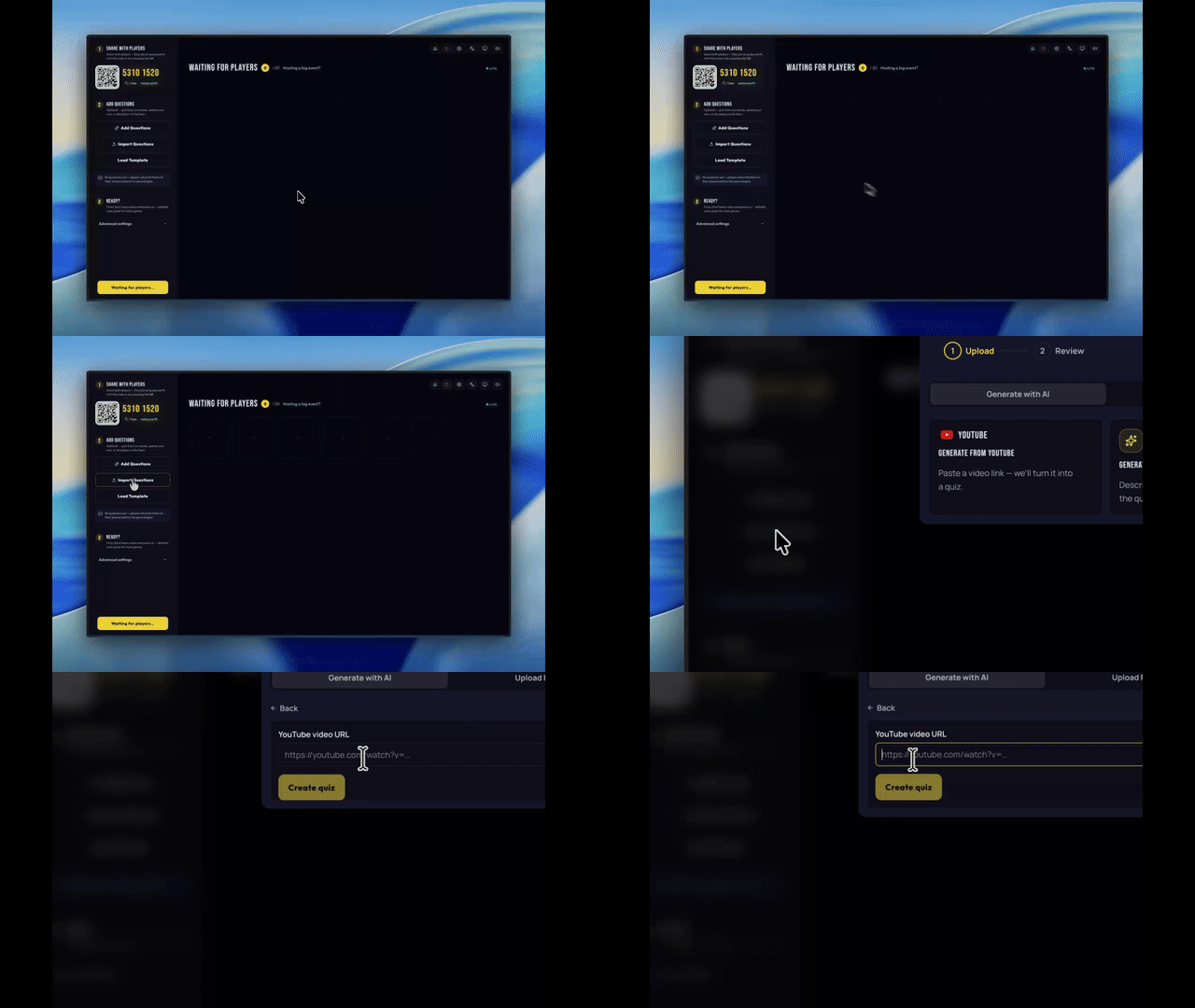
Paste a YouTube link and Quizzy turns the video into a live quiz — it pulls the questions out of a trivia video, or writes fresh ones from a lecture or explainer. A Quizzy Pro feature; hosting and playing stay free.
Quizzy keeps getting better
v2.4.0
New
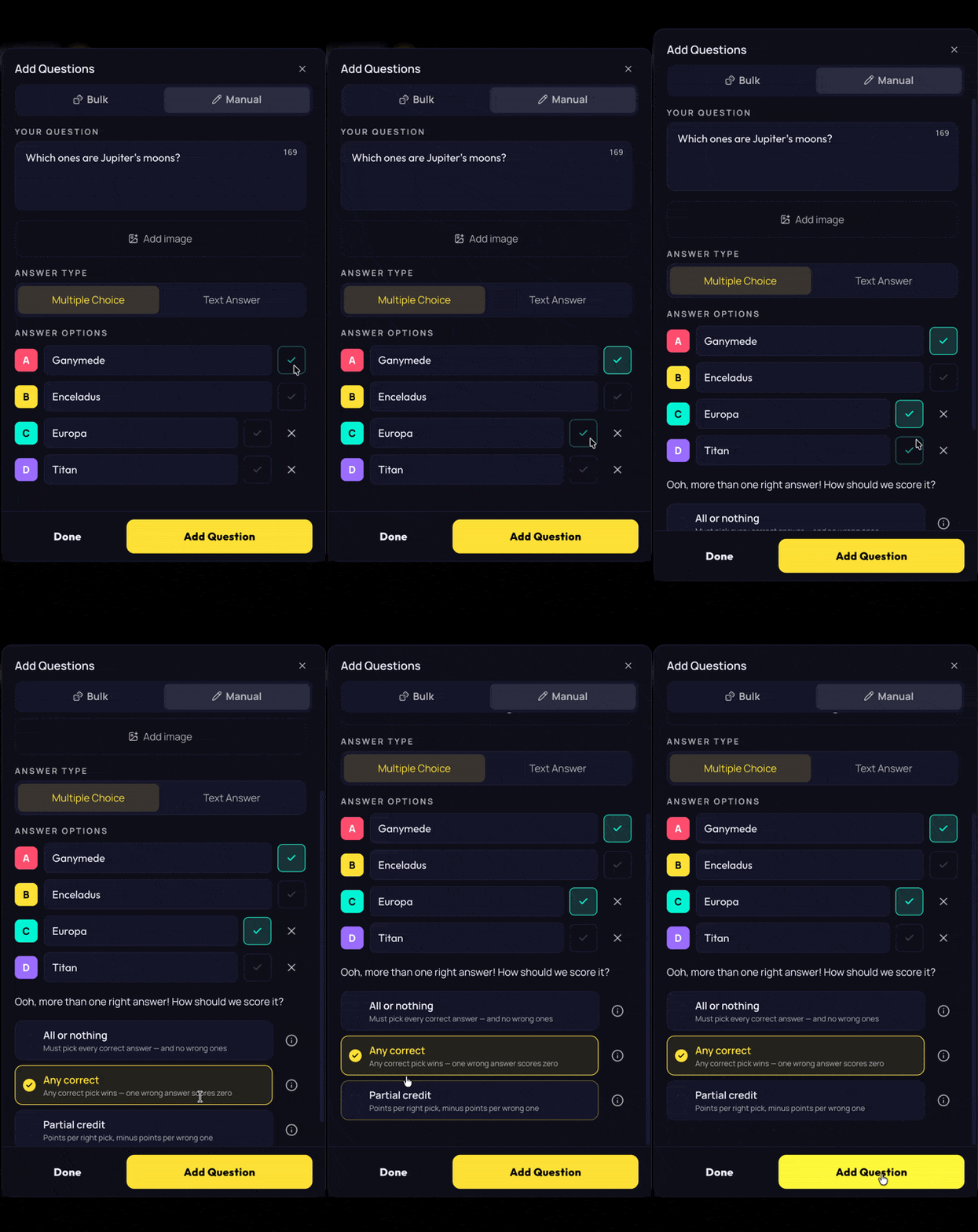
Multiple correct answers
Host can build pick-all-that-apply questions with more than one right choice.
Fixed
Translation crash fixed
Fixed a crash when a browser translation extension altered the page.
New
QuizPik AI
Generate a full quiz from a topic in about 30 seconds.